Azure AKS
IVAAP AKS Deployment Dependencies
This guide will highlight details specific to deploying the IVAAP Helm Template into an Azure AKS cluster. There are no special requirements for the AKS cluster, but it is important that the worker nodes are large enough to accomodate the backend pod. For details, refer to the Multi-host Orchestration Environments of the IVAAP Technical Datasheet.
It is important to note - this guide does not go into full deployment and configuration details. This guide only contains deployment details specific to Azure AKS deployments. Throughout this guide, there will be links referencing to other guides. The primary guide for deployment configuration is the General Helm Configuration Guide.
Configuring Helm for AKS
The IVAAP Helm template is universal, and the only major difference between cluster types is the ingress controller that is created. To ensure IVAAP uses the correct ingress controller for your cluster, .Values.environment.type.azure.enabled must be set to true.
environment:
  type:
    azure:
      enabled: ''
Azure Managed Postgres PostgreSQL Database
For AKS deployments, an external PostgreSQL database is required. Since AKS is on Azure, it is recommended to use the Azure Managed Postgres service in the same VPC as the AKS Cluster. This allows for the Azure Managed Postgres database to be private, and have direct connection to the AKS.
For in-depth details on setting up this database, refer to IVAAP Deployment Operations Guide - Database Administration.
Additionally, refer to the PostgreSQL section of the IVAAP Technical Data Sheet.
IVAAP Secrets
Configuring Azure Key Vault
If deploying IVAAP to an AKS cluster in Azure, the IVAAPHelmTemplate supports ingesting secrets from Azure Key Vault.
secrets:
  type:
    ######################################
    ##         Azure Keyvault           ##
    ######################################
    # ----- These values are only for Azure Keyvault Access
    # ----- This will use templates/azure/serviceaccount.yaml
    azureKeyVault:
      enabled: ""
      keyvaultName: ""            # ----- Name of your Azure Keyvault
      useVMManagedIdentity: ""    # ----- Set to true for using managed identity
      userAssignedIdentityID: ""  # ----- Leave empty for system-assigned identity, or specify if using user-assigned
      cloudName: ""               # ----- [OPTIONAL] Defaults to AzurePublicCloud if not provided
      tenantid: ""                # ----- Tenant ID of the azure containing your keyvault secrets
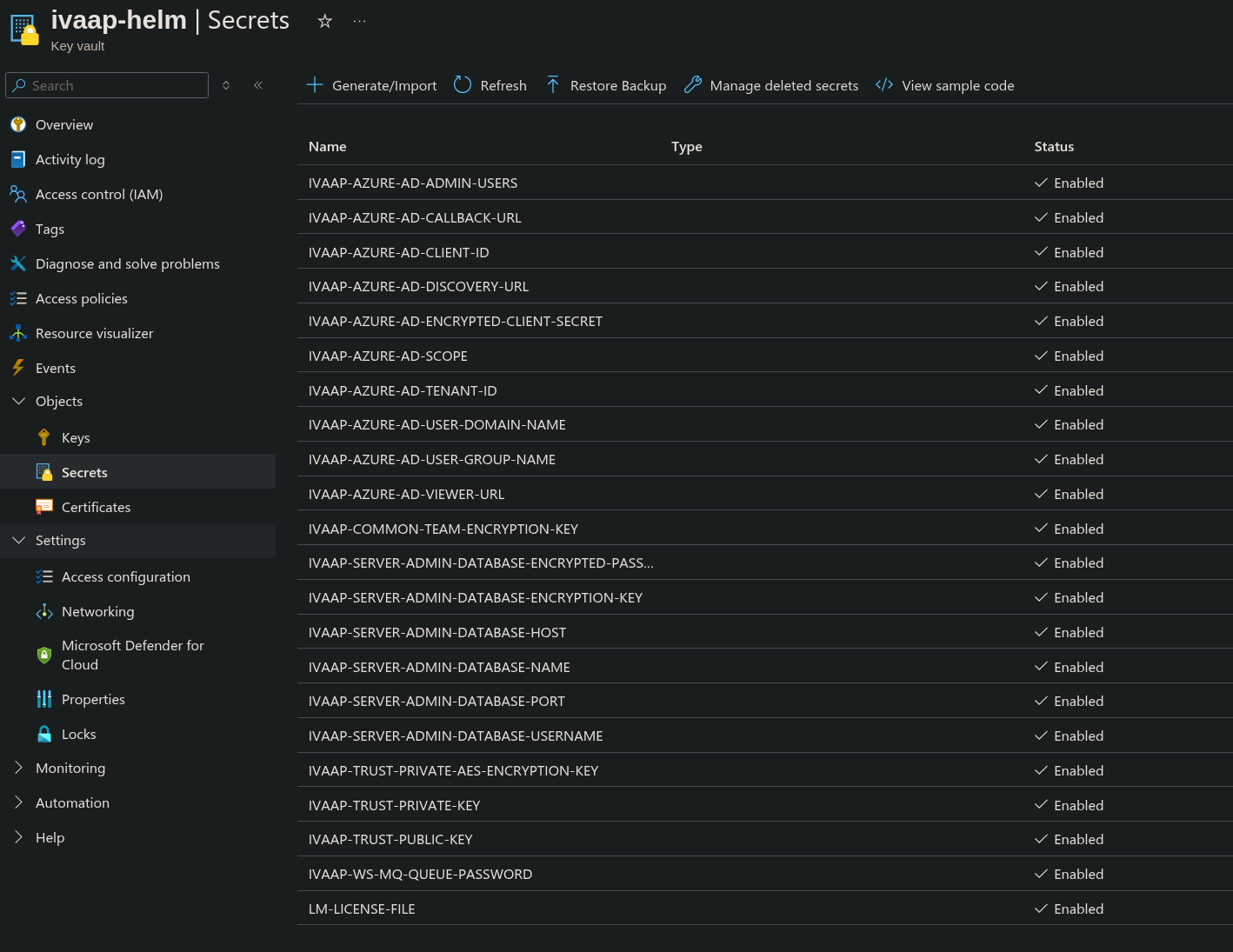
Pre-requisites for this configuration are:
- Create a Key Vault in Azure accessible to your AKS cluster
- Select Azure role-based access control Permissions model
- Create a User Assigned Managed Identity
- For Azure role assignments, give role Key Vault Secrets User to your Key Vault.
- In your AKS agent pool(s), assign this Managed Identity role.
- AKS Agent pool resource -> Security -> Identity -> User assigned -> Add. Then, select the new managed identity.
Once these have been created, they can be configured in the Helm Template.
secrets:
  type:
    azureKeyVault:
      enabled: true
      keyvaultName: "ivaap-helm"
      useVMManagedIdentity: "true"
      userAssignedIdentityID: "1381e6d2-8e60-4571-8b02-58bc3bb295b5"
      cloudName: "AzurePublicCloud"
      tenantid: "8425d812-4846-4f8f-b311-1d28ba449ac4"
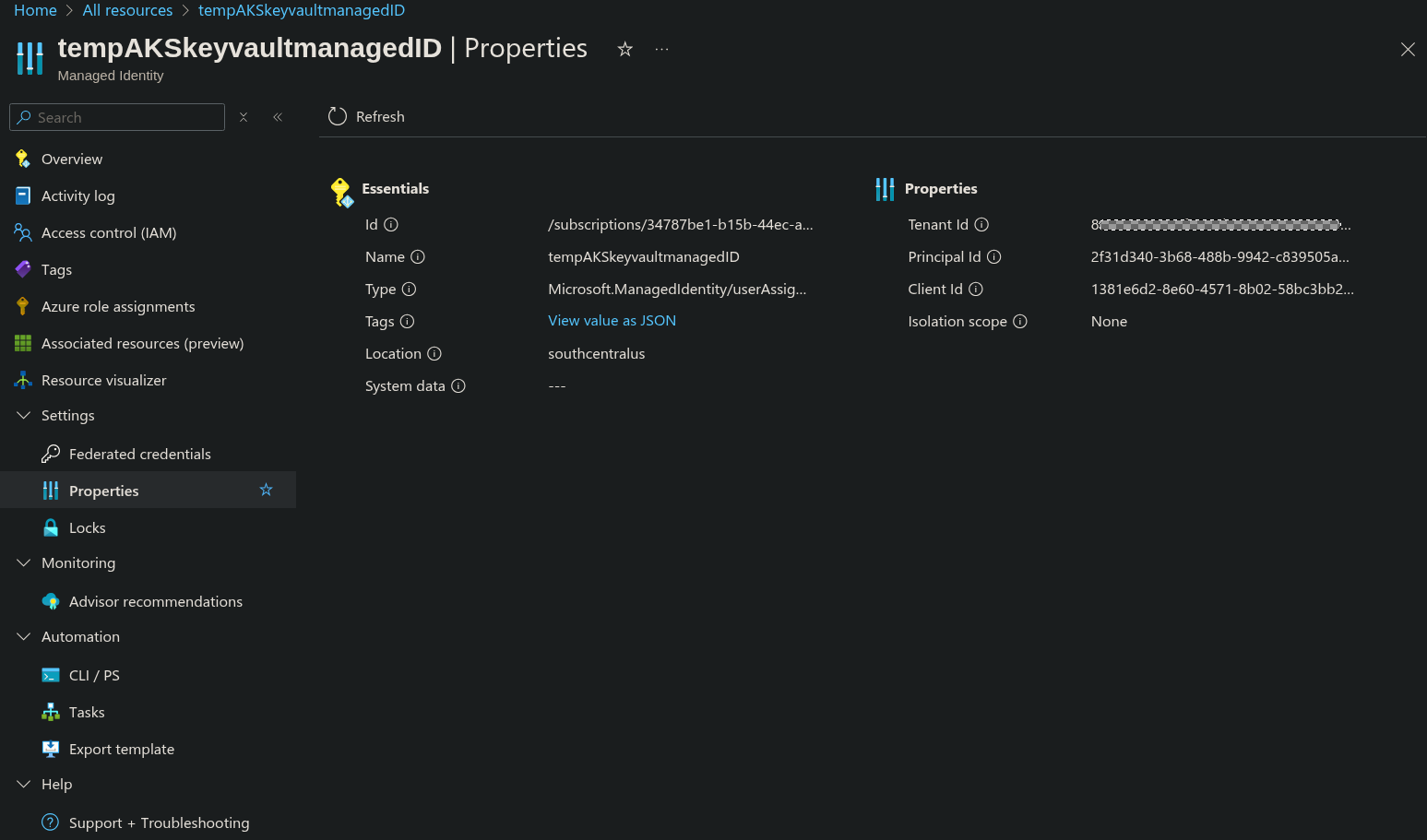
The value of userAssignedIdentityID should be the Client ID of the User Assigned Managed Ideneity. This and the Tenant ID can be found in the properties tab of the User Assigned Managed Identity.
Native Kubernetes Secrets
Native kubernetes secrets can be used if you do not wish to use Azure Key Vault.
For steps on how to configure kubernetes secrets, refer to General Helm Configuration Guide's section on native kubernetes secrets.