AWS EKS
IVAAP EKS Deployment Dependencies
This guide will highlight details specific to deploying the IVAAP Helm Template into an AWS EKS cluster. There are no special requirements for the EKS cluster, but it is important that the worker nodes are large enough to accomodate the backend pod. For details, refer to the Multi-host Orchestration Environments of the IVAAP Technical Datasheet.
It is important to note - this guide does not go into full deployment and configuration details. This guide only contains deployment details specific to AWS EKS deployments. Throughout this guide, there will be links referencing to other guides. The primary guide for deployment configuration is the General Helm Configuration Guide.
Configuring Helm for EKS
The IVAAP Helm template is universal, and the only major difference between cluster types is the ingress controller that is created. To ensure IVAAP uses the correct ingress controller for your cluster, .Values.environment.type.aws.enabled must be set to true.
environment:
  type:
    aws:
      enabled: ''
RDS PostgreSQL Database
For EKS deployments, an external PostgreSQL database is required. Since EKS is on AWS, it is recommended to use the RDS service in the same VPC as the EKS Cluster. This allows for the RDS database to be private, and have direct connection to the EKS.
For in-depth details on setting up this database, refer to IVAAP Deployment Operations Guide - Database Administration.
Additionally, refer to the PostgreSQL Requirments section of the IVAAP Technical Data Sheet.
IVAAP Secrets
Configuring AWS Secrets Manager
If deploying to an EKS cluster, the IVAAPHelmTemplate supports ingesting secrets from AWS Secrets Manager.
secrets:
  type:
    ######################################
    ##       AWS Secrets Manager        ##
    ######################################
    awsSecretsManager:
      enabled: ""
      serviceAccount:
        name: ""                  # ----- Name of your service account to be created
        iamRoleArn: ""            # ----- Arn of the IAM role for the secret access. Ex: arn:aws:iam::123456789000:role/ivaap-secret
      secretName: ""              # ----- The name of your secret in AWS Secrets Manager - this secret should contain all keys/value
Pre-requisites for this configuration are:
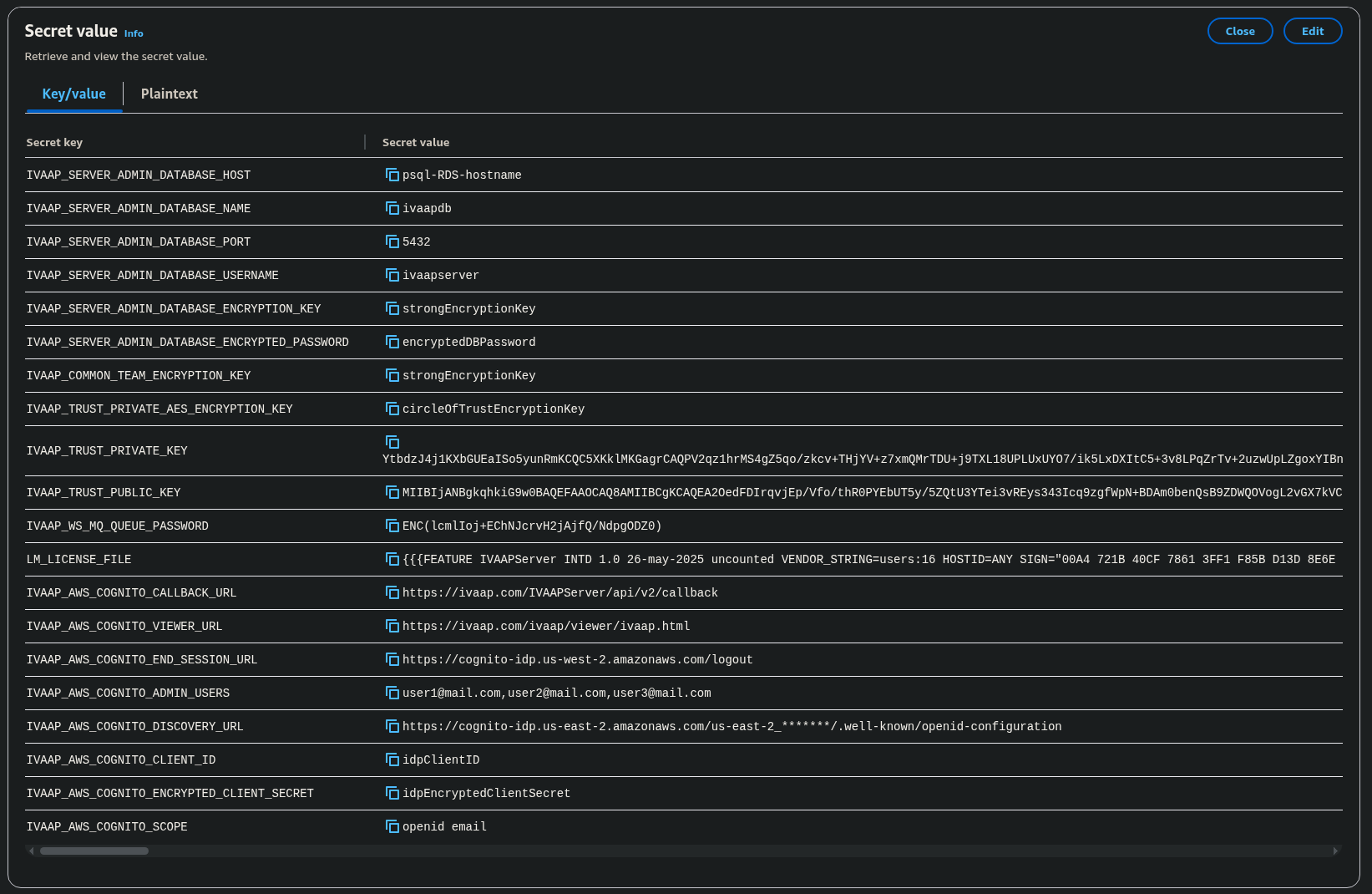
- Create a secret in AWS Secrets manager.
- This needs to be a single secret, with Secret type selection "Other type of secret." In this secret, multiple keys and values should be set.
- Must contain all keys and values under each secret reference.
- Automatic Rotation is not supported
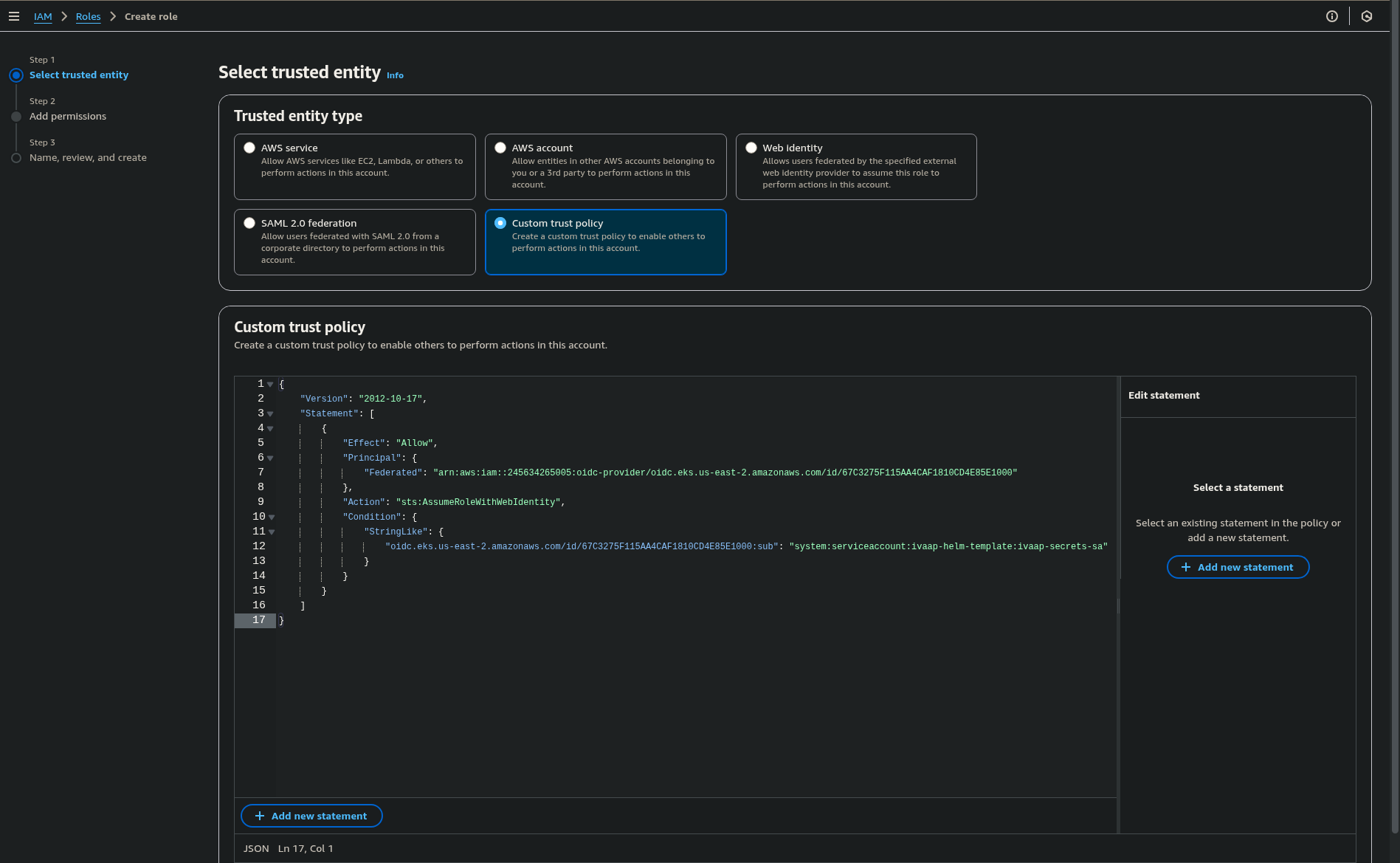
- Create a Role in AWS to allow your EKS cluster to get the secrets. The following custom trust relationship example allows the role to attach to the specified namespace and service account.
- OIDC Provider ARN can be found on the overview tab of the EKS cluster page in the AWS Console.
- Service account name in the role must match the service account name specified in
.Values.secrets.type.awsSecretsManager.serviceAccount.name
{
    "Version": "2012-10-17",
    "Statement": [
        {
            "Effect": "Allow",
            "Principal": {
                "Federated": "arn:aws:iam::245634265005:oidc-provider/<OIDC_PROVIDER_ARN>"
            },
            "Action": "sts:AssumeRoleWithWebIdentity",
            "Condition": {
                "StringLike": {
                    "<OIDC_PROVIDER_ARN>": "system:serviceaccount:<NAMESPACE>:<SERVICE_ACCOUNT_NAME>"
                }
            }
        }
    ]
}
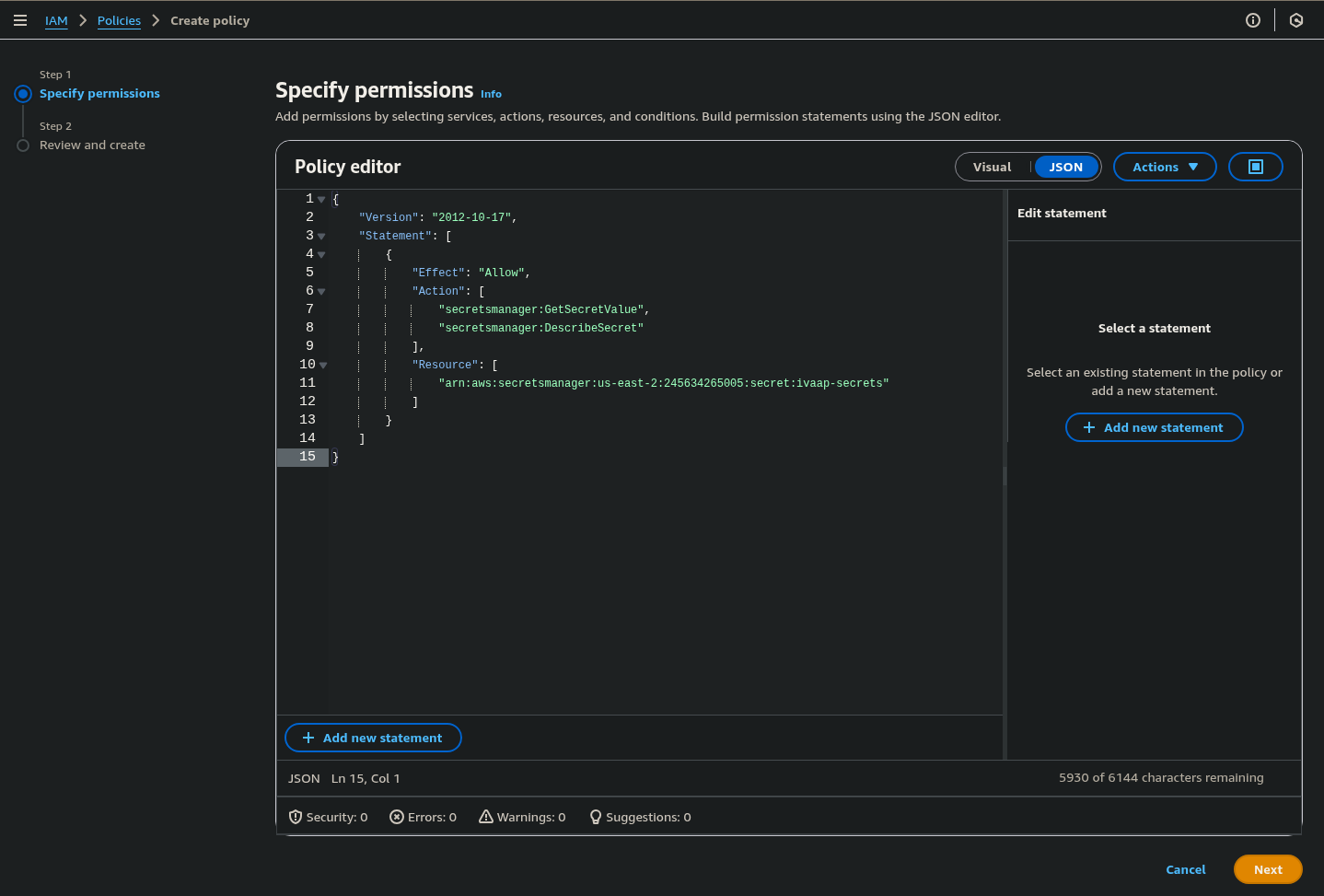
- Attach a permissions policy to the newly created Role that allows access to the Secrets Manager secret. The following allows access to the secret named
ivaap-secrets:
{
    "Version": "2012-10-17",
    "Statement": [
        {
            "Effect": "Allow",
            "Action": [
                "secretsmanager:GetSecretValue",
                "secretsmanager:DescribeSecret"
            ],
            "Resource": [
                "<IVAAP_SECRETS_ARN>"
            ]
        }
    ]
}
Once these have been created, they can be configured in the Helm Template.
secrets:
  type:
    awsSecretsManager:
      enabled: true
      serviceAccount:
        name: "ivaap-secrets-sa"
        iamRoleArn: "arn:aws:iam::245634265005:role/ivaap-helm-template-secrets-role"
      secretName: "ivaap-secrets"
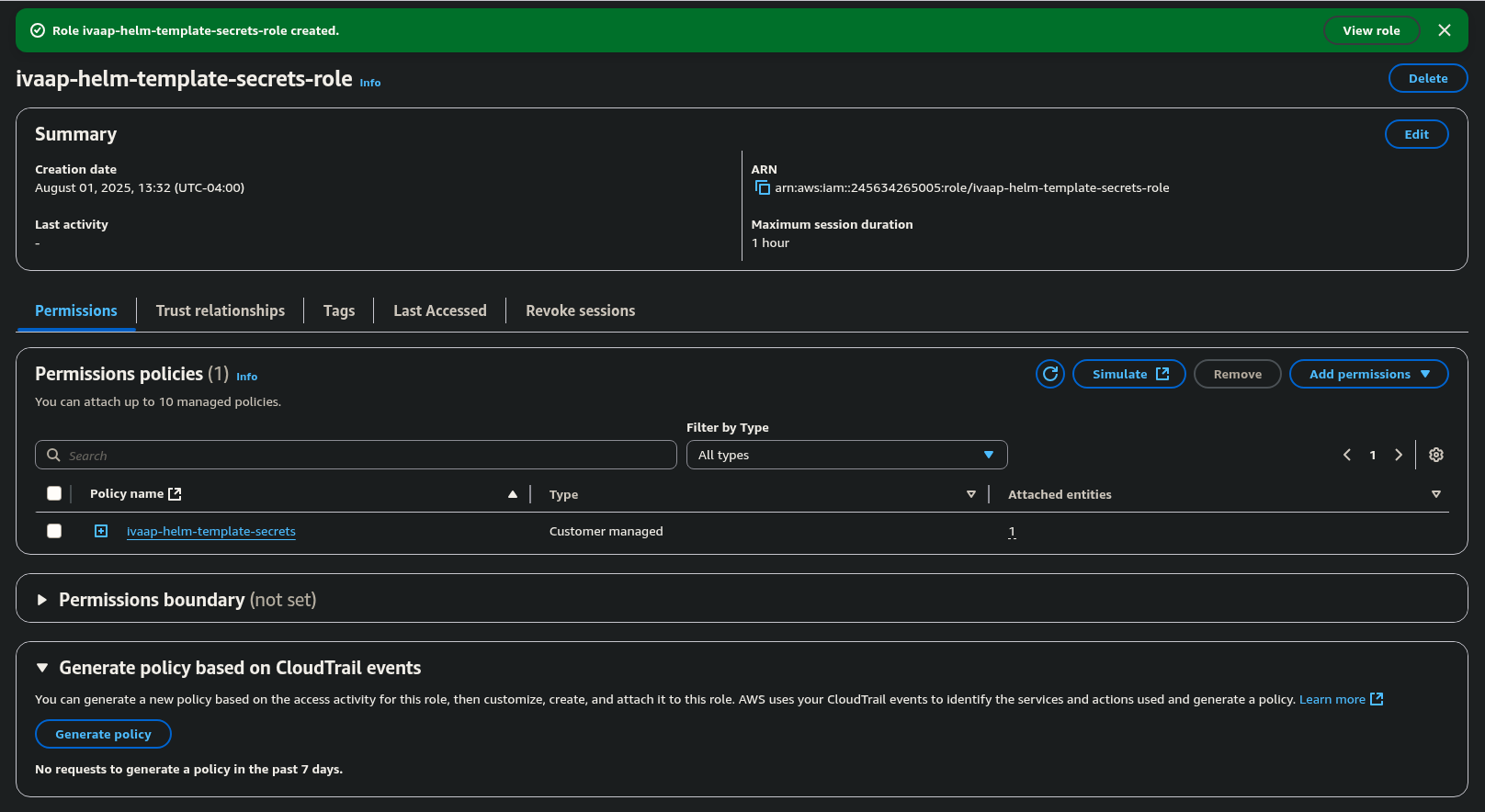
.Values.secrets.type.awsSecretsManager.serviceAccount.iamRoleArn can be found on the main page for the newly create role in the AWS Console.
Native Kubernetes secrets
Native kubernetes secrets can be used if you do not wish to use AWS Secrets Manager.
For steps on how to configure kubernetes secrets, refer to General Helm Configuration Guide's section on native kubernetes secrets.